

Sequential control
A method is provided to control the behavior of async handlers when they can be executed in duplicate.
It is possible to specify CommandOrdering at each level, such as per Router instance, SubscribeAwait argument, Route method, etc.
Why it matters in games
In games, dialogue, cutscenes, and tutorials must play in order — never overlapping.
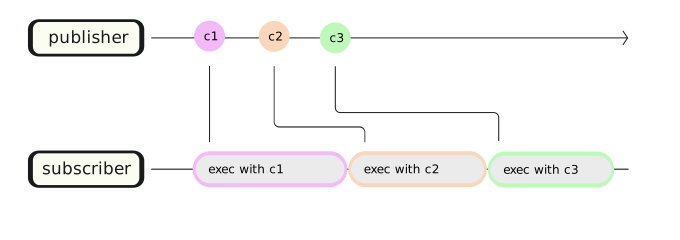
With CommandOrdering.Sequential, you just publish commands and VitalRouter plays them back-to-back, even across different command types.
public readonly record struct WalkCommand(Vector3 To) : ICommand;
public readonly record struct SpeakCommand(string Text) : ICommand;
public readonly record struct WaitCommand(float Seconds) : ICommand;

// `Sequential`: each command waits for the previous handler to finish.
[Routes(CommandOrdering.Sequential)]
public partial class CutscenePresenter : MonoBehaviour
{
    [Route]
    async UniTask On(WalkCommand cmd) => await character.WalkToAsync(cmd.To);

    [Route]
    async UniTask On(SpeakCommand cmd) => await dialogueView.ShowAsync(cmd.Text);

    [Route]
    async UniTask On(WaitCommand cmd) => await UniTask.Delay(TimeSpan.FromSeconds(cmd.Seconds));
}
// Fire-and-forget. VitalRouter queues these and runs them strictly in order.
router.PublishAsync(new WalkCommand(stage.Center));
router.PublishAsync(new SpeakCommand("Hello there!"));
router.PublishAsync(new WaitCommand(0.5f));
router.PublishAsync(new SpeakCommand("Welcome to our little town."));Without ordering, all four handlers would start at the same time and the scene would be a mess.
With Sequential, the character walks in, then speaks, then pauses, then speaks again — no manual coroutine chaining or hand-rolled state machine required.
| Ordering | Behavior | Typical use |
|---|---|---|
Parallel (default) |
Run all handlers concurrently | Independent reactions |
Sequential |
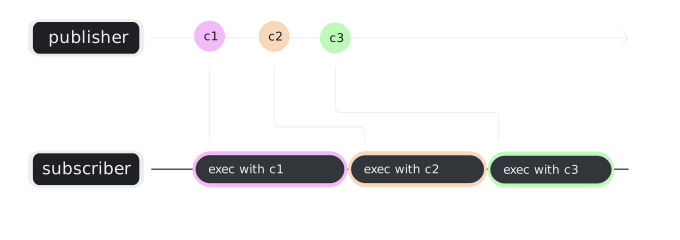
Queue, then run one at a time in order | Dialogue, cutscenes, tutorials |
Drop |
Ignore new commands while one is still running | Debounce buttons, prevent double-firing |
Switch |
Cancel the running handler, start the new one | “Latest wins” — re-targeting, search-as-you-type |
public enum CommandOrdering
{
    /// <summary>
    /// If commands are published simultaneously, subscribers are called in parallel.
    /// </summary>
    Parallel,

    /// <summary>
    /// If commands are published simultaneously, wait until the subscriber has processed the first command.
    /// </summary>
    Sequential,

    /// <summary>
    /// If commands are published simultaneously, ignore commands that come later.
    /// </summary>
    Drop,

    /// <summary>
    /// If the previous asynchronous method is running, it is cancelled and the next asynchronous method is executed.
    /// </summary>
    Switch,
}
Parallel
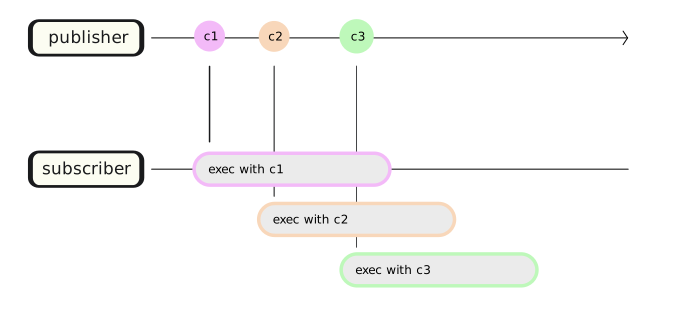
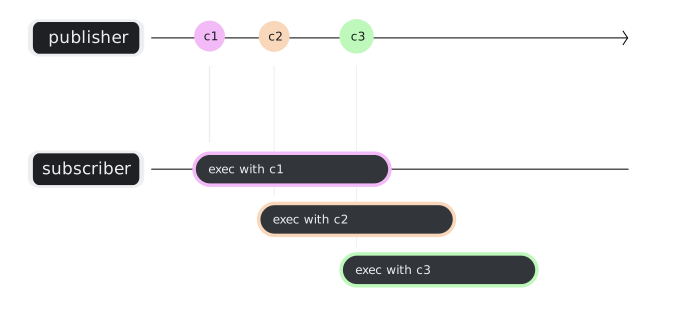
Sequential
Drop
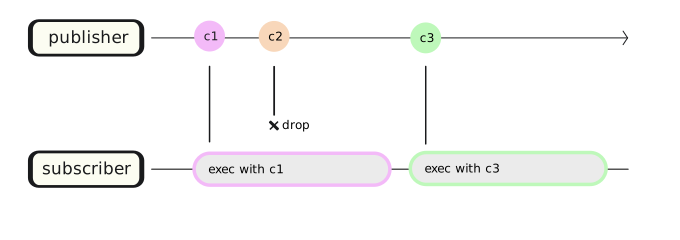
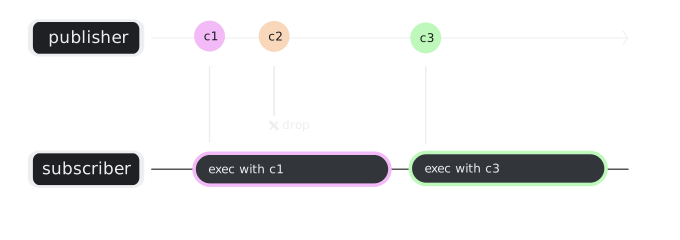
Switch
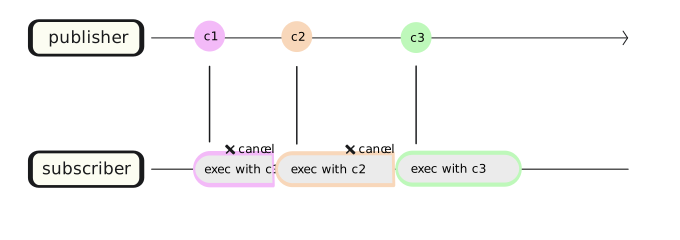
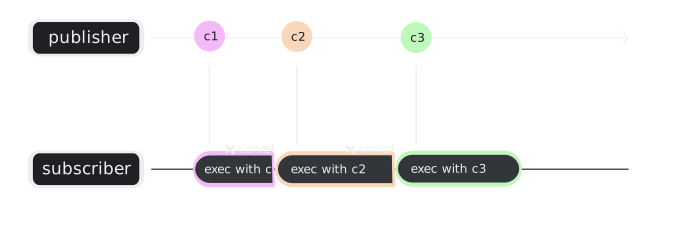
How to set
// Set sequential constraint to the globally.
Router.Default.AddFilter(CommandOrdering.Sequential);

// Or
var fifoRouter = new Router(CommandOrdering.Sequential);

// Or Configure sequential routing via DI
builder.RegisterVitalRouter(routing =>
{
    routing.CommandOrdering = CommandOrdering.Sequential;
});
// Command ordering per class level
[Routes(CommandOrdering.Sequential)]
public FooPresenter
{
public async UniTask On(FooCommand cmd)
{
}
}[Routes]
public FooPresenter
{
// Command ordering per method level
[Route(CommandOrdering.Sequential)]
public async UniTask On(FooCommand cmd)
{
}
}// Command ordering per per lambda expressions
router.SubscribeAwait(async (cmd, ctx) =>
{
/* ... */
}, CommandOrdering.Sequential);